Little LUMI Model 1.1.0: send Lumi to OBS
A Broadcast tab and Start Broadcast mode. She leaves the desktop overlay for capture.
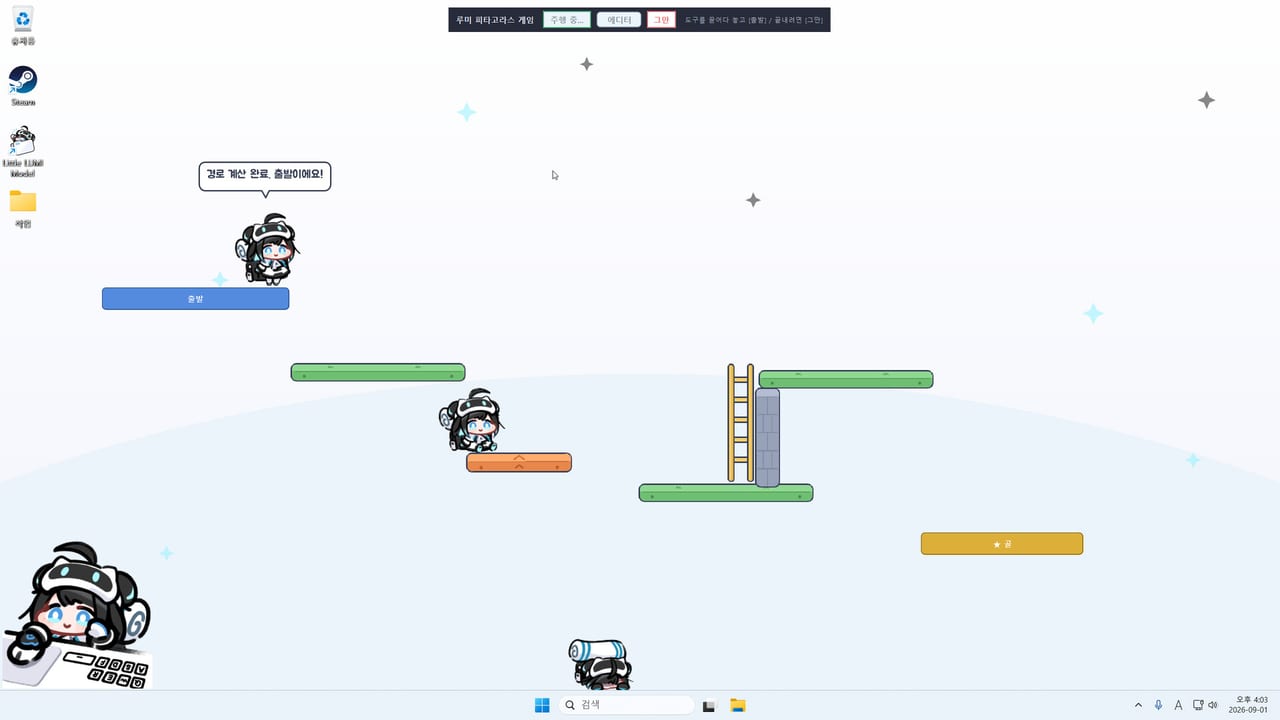
Studio LUMI posted Little LUMI Model 1.1.0 on Friday, 4 September 2026, the day after launch. Steam files it as a small update. The public sentence is short and it is the whole fact this page will treat as official: a Broadcast mode feature was added so you can send LUMI to OBS. Press Start Broadcast mode on the Broadcast tab in Settings and LUMI leaves the desktop to live inside a dedicated capture surface.
That is the note. This wiki will not invent chroma-key settings, a specific OBS source type, or a window title Steam did not print. How-to steps that go beyond the sentence live on the Broadcast mode guide, marked as client walkthrough rather than extra patch text.
Parent hub: Updates. Same-day launch context: launch notes. The freeze fix from the day before: hotfix 1.0.1.
Why 1.1.0 exists
Launch-day English reviews asked for an OBS option. The desktop overlay is cute on your own monitor and awkward when you share a game or a meeting: hide-on-fullscreen removes her from the capture you actually wanted, or she climbs a window you would rather keep clean. Broadcast mode is the studio answer: she leaves the desktop and lives in a surface you can add in OBS instead of fighting the overlay.
1.1.0 does not replace hide-on-fullscreen. Use focus mode and the Screen tab when you want her quiet on the real desktop. Use Broadcast when you want her in the stream, not on the taskbar of the PC you are capturing.
What the note actually says
- Feature name: Broadcast mode.
- Where: Settings → Broadcast tab.
- Action: Start Broadcast mode.
- Result: Lumi leaves the desktop overlay to live inside a capture-oriented window or surface for OBS.
- Date: 4 September 2026.
- Steam label: small update / patch notes, titled Little LUMI Model 1.1.0 Patch Notes.
If your About tab still shows 1.0.1 only, quit from the tray, let Steam finish the download, and launch from the library. Java is bundled; you are not installing a second runtime.
What 1.1.0 is not
- Not a seventh affection stage.
- Not a 65th behaviour or a new named achievement this wiki can quote.
- Not a price change. Launch is still $3.99 with a 20% intro through 17 September 2026.
- Not a replacement for the LUMI Voice Pack. Voice Pack is Workshop audio. Broadcast is capture.
- Not a claim that Steam Broadcasting (watching friends play) is involved. This is OBS, the capture app, as the store note names it.
How to take the patch
- Open Steam → Library → Little LUMI Model. Wait until 1.1.0 is applied.
- Tray → Quit. A leftover 1.0 process will not grow a Broadcast tab.
- Launch from Steam.
- Open Settings. You should see Broadcast beside Home, Lumi, Behaviour, Sound, Screen, and About.
- Do not press Start Broadcast mode on a work desktop you still want her walking. Read the Broadcast mode guide first.
If Settings still freezes when two Lumis Parade, you may also be missing hotfix 1.0.1. Install both. Order on the wire was 1.0 → 1.0.1 (3 Sep) → 1.1.0 (4 Sep).
Reviews and the OBS request
Launch reviews sat Very Positive (100% of the public set; the count moved from about 107 toward the mid-100s within a day). One English review asked, plainly, for an option to add Lumi to OBS. 1.1.0 is that option. This wiki will not pretend every reviewer asked for it. It will also not ignore the request the studio answered in one day.
When you stream, keep stay on this monitor and hide-on-fullscreen in mind. Broadcast mode is for putting her in OBS. Hide-on-fullscreen is for taking her off a game capture. Using both without reading the client will look like she vanished.
After you update
Tick Broadcast on the settings checklist. Rank it as a streamer tool, not a week-one work tool, on the optional modes list. If Start Broadcast mode does nothing, see troubleshooting. Official note location: Steam news for app 5075020.
There is no verified YouTube tutorial for Little LUMI Model 1.1.0 at the time this page was written. The official motion trailer still lives on the Steam store page, not as a wiki-invented video id. This article stays on the Steam sentence until Studio LUMI publishes a longer note.
Frequently Asked Questions
Quick answers for new Little LUMI Model owners.
When did patch 1.1.0 ship?
Friday, 4 September 2026. Steam lists it as Little LUMI Model 1.1.0 Patch Notes, a small update.
What does 1.1.0 add?
Broadcast mode. Open the Broadcast tab in Settings, press Start Broadcast mode, and Lumi leaves the desktop overlay for an OBS-oriented capture surface.
Does 1.1.0 replace hotfix 1.0.1?
No. 1.0.1 fixed a Parade Settings freeze on 3 September 2026. Install both. Broadcast is a new feature, not that freeze fix.
Do I need Broadcast mode to use Little LUMI Model?
No. Leave the Broadcast tab alone if you only want her on the taskbar. It is for sending her into OBS.
Where is the step-by-step OBS walkthrough?
The Broadcast mode guide walks through the Settings tab without inventing OBS source names the patch note did not print.