Little LUMI Model Characters the community made
Steam Workshop characters, Modules, and where to find them after patch 1.2.0.
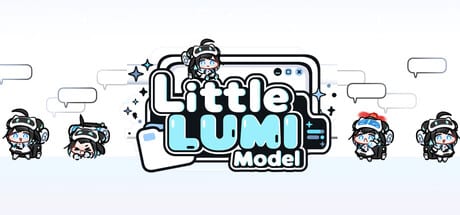
LUMI Modules are extra characters made by the Little LUMI Model community. Subscribe to one on the Steam Workshop and it appears on your desktop next to Lumi — walking, climbing, and using the same desktop rules you already set. Patch 1.2.0 (6 September 2026) added a Mods tab in Settings where all your modules — Workshop subscriptions and manually added ones — appear in a single unified list.
This hub is the entry point. Guides: Workshop guide for subscribing, Modding Guide for building and uploading, Multiple Lumis for calling extra copies of Lumi herself. Character details: Lumi Hub.
Modules vs. optional extras
The four toys that ship off by default — Bongo Lumi, Floating Garden, Pythagoras, and Window toss — are studio features built into Settings. LUMI Modules are community sprites uploaded to the Steam Workshop for app 5075020. They are different products maintained by different people. Modules are characters; optional extras are behaviour modes.
How modules appear after 1.2.0
- Subscribe to a module on the Steam Workshop for app 5075020.
- Fully quit Lumi from the tray and relaunch.
- Open Settings → Mods. The subscribed module appears in the list.
- Drag modules in the list to change load order — higher items override lower ones when behaviours overlap.
- The module’s character appears in the startup chooser and walks the desktop beside Lumi.
If the module does not appear in the Mods tab, confirm Steam finished downloading and that you fully restarted Lumi. Do not stack five subscriptions to force a refresh — one restart is enough.
What modules can do (after 1.2.0)
After patch 1.2.0, mods can add new behaviours and features — not only character sprites. File-based modding supports behaviour definitions, image swaps, and voice files. The Workshop page for each module states what it contains. Read that page before subscribing; some modules are sprite-only, others add new idle animations or interaction patterns.
Modules do not get their own affection panel on the Home tab. They share Lumi’s affection system. Extra Lumis called via Call Another LUMI are separate local copies; a module character is a different sprite entirely.
Modules and the Voice Pack
The LUMI Voice Pack (Workshop id 3795005580) is a voice module, not a character module. It voices Lumi’s self-talk and meeting chats using streamer Lumi’s recorded voice. It appears in the Sound tab, not the Mods tab. Some character modules include their own voice files; those land in the Mods tab after subscribing.
Safe browsing
- Treat each Workshop page as the source of truth for what a module does.
- Modules from unverified sources may not follow the behaviour schema. Use the Mods tab to disable suspect entries.
- If a module causes Lumi to freeze or clip, disable it from the Mods tab before filing a general bug report.
- LUMI Chat is a separate optional mod that wants an API key or a local LLM. It is not a LUMI Module and is not managed through the Mods tab.
Ranking modules
This wiki does not maintain a module leaderboard. The feature rank hub covers the studio optional extras. For community content, read the Workshop page, check subscriber counts, and see what the description says about load-order requirements after 1.2.0.
Modules change the look of the desktop. The settings checklist and affection pages stay relevant regardless of which characters are walking. Install modules after the base pet feels stable — the same rule that applies to Workshop characters and optional extras.
Frequently Asked Questions
Quick answers for new Little LUMI Model owners.
What is a LUMI Module?
A community-made character uploaded to the Steam Workshop for app 5075020. Subscribing one adds a new sprite that walks your desktop beside Lumi, managed through Settings → Mods after patch 1.2.0.
How do I install a module?
Subscribe on the Steam Workshop, fully restart Lumi from the tray, then open Settings → Mods. The module appears in the list and in the startup chooser.
What is the difference between a module and the four optional extras?
Bongo Lumi, Floating Garden, Pythagoras, and Window toss are studio features toggled in Settings. LUMI Modules are community sprites from the Workshop. They are different products.
Can modules add new behaviours after patch 1.2.0?
Yes. 1.2.0 enabled file-based modding so mods can add new behaviours and features, not only swap character images. Read each module's Workshop description for specifics.
Does the LUMI Voice Pack count as a module?
No. The Voice Pack is a voice module managed through the Sound tab, not the Mods tab. Some character modules include their own voice files and appear in the Mods tab.